How do I submit a map?
In order to contribute to the project, you must upload your map to the Zenodo community associated with the project.
Requirements for contributing
You need to create an account on the Zenodo platform via this link.
Tips before you start
Before you begin, please refer to the following page to gain a better understanding of how data is entered. Check that the map has not already been added using the filters and images.
The following questionnaire must be completed to provide the metadata.
Once you have finished filling in the questionnaire, download and save the file without renaming it.
Complete questionnaire
Requirements for completing the following questionnaire
- All values entered in the fields must begin with a capital letter.
- All values entered in the fields must be in English.
Metadata of submitted Zenodo
1 : Create a new upload in zenodo
Once you have logged in, you can start uploading.
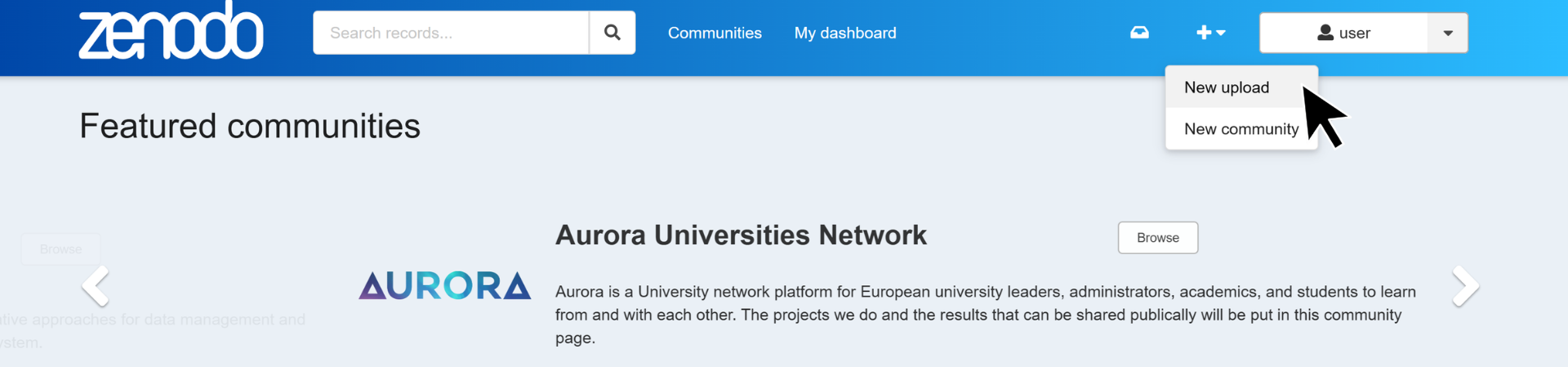
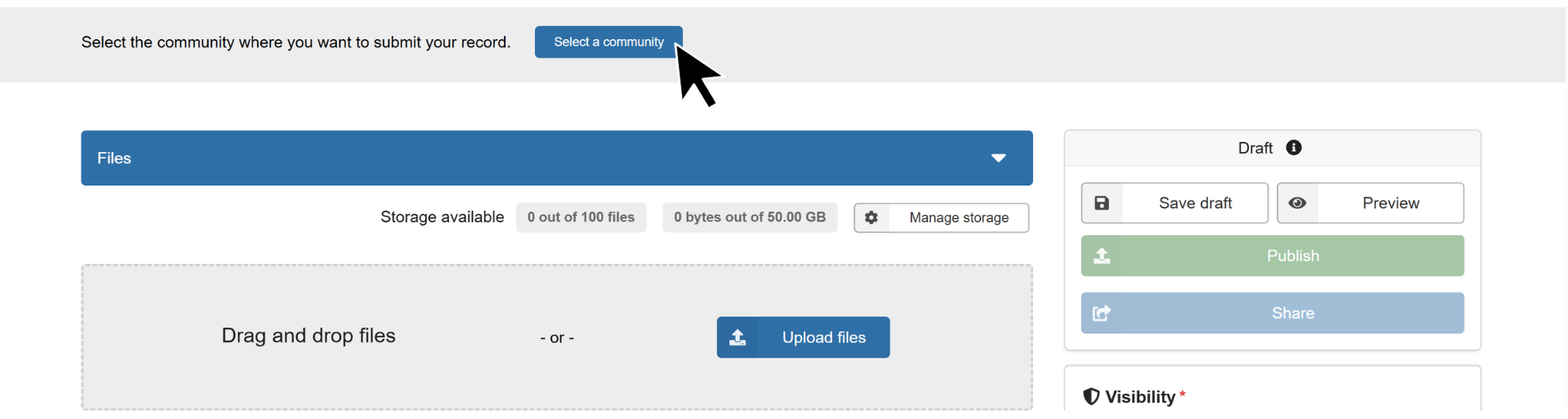
2 : Select the COVADEO community
Click on "Select a community" ....
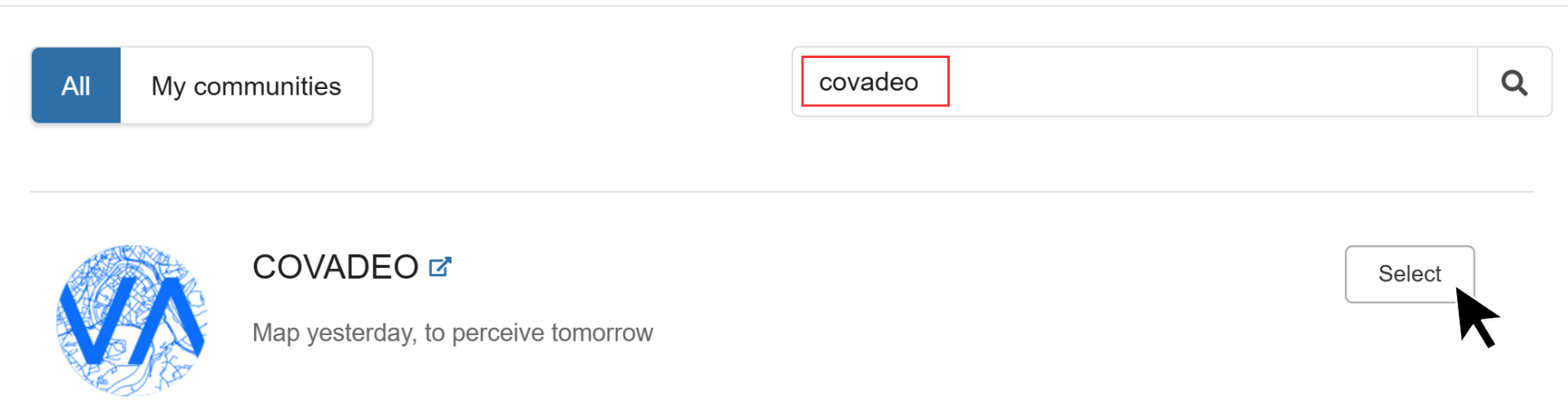
... and write covadeo in the search bar. Then click on "Select" to the right of the community profile.
2 : Share the repostory
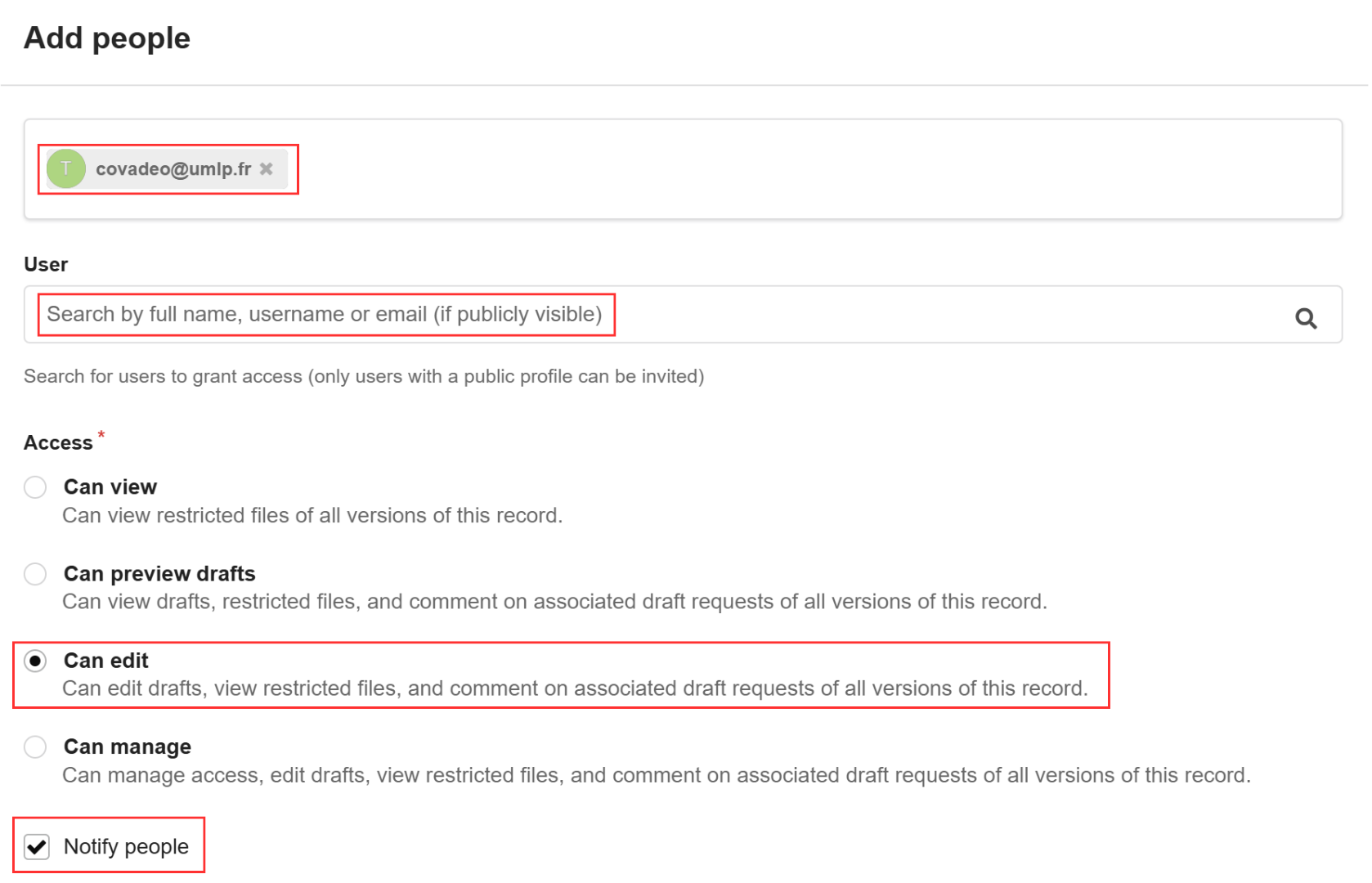
You now need to share your repository with the COVADEO project management team.

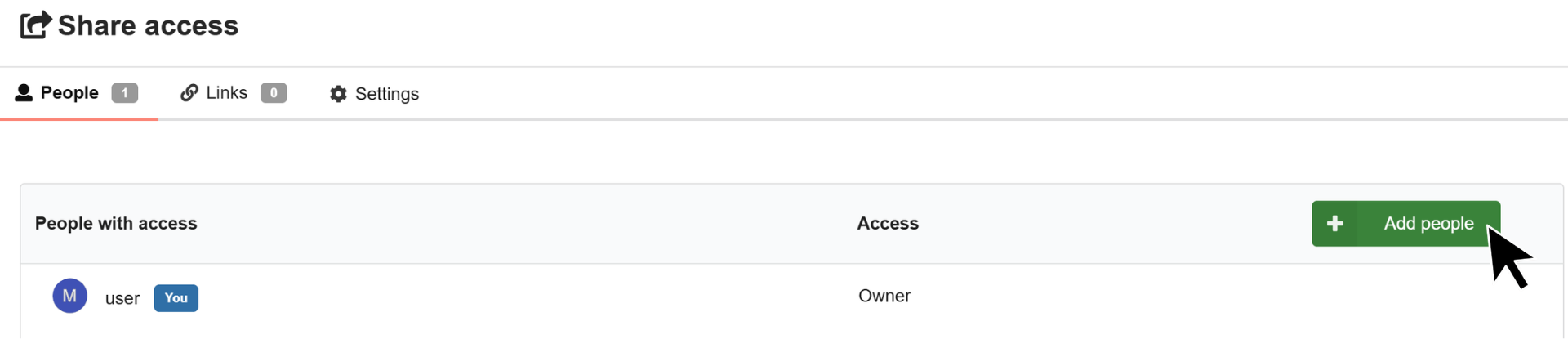
Search for the user "covadeo". Remember to select the "Can edit" and "Notify people" settings.
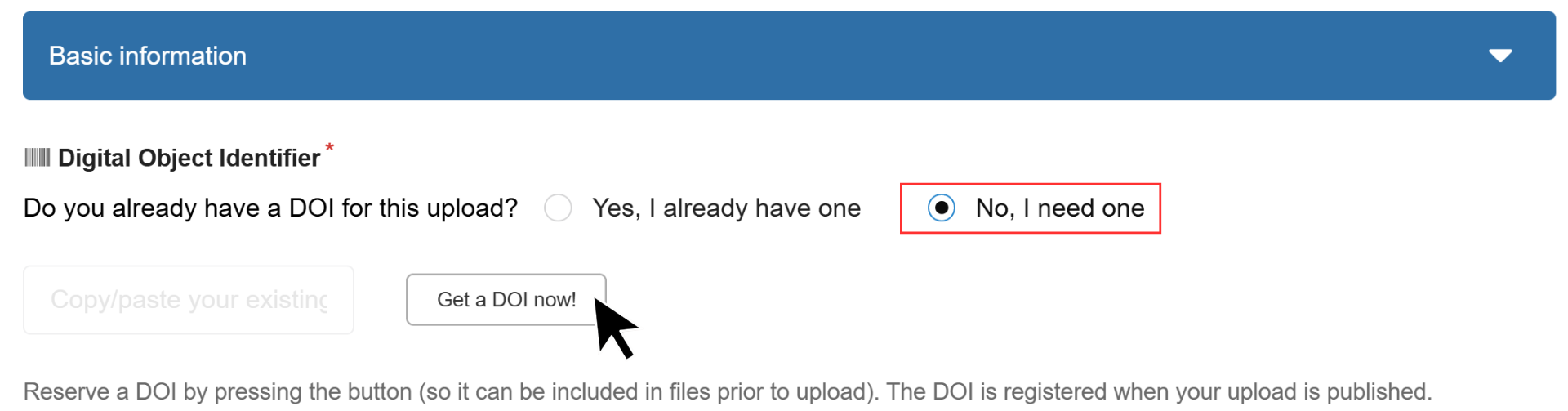
The submission requires five files
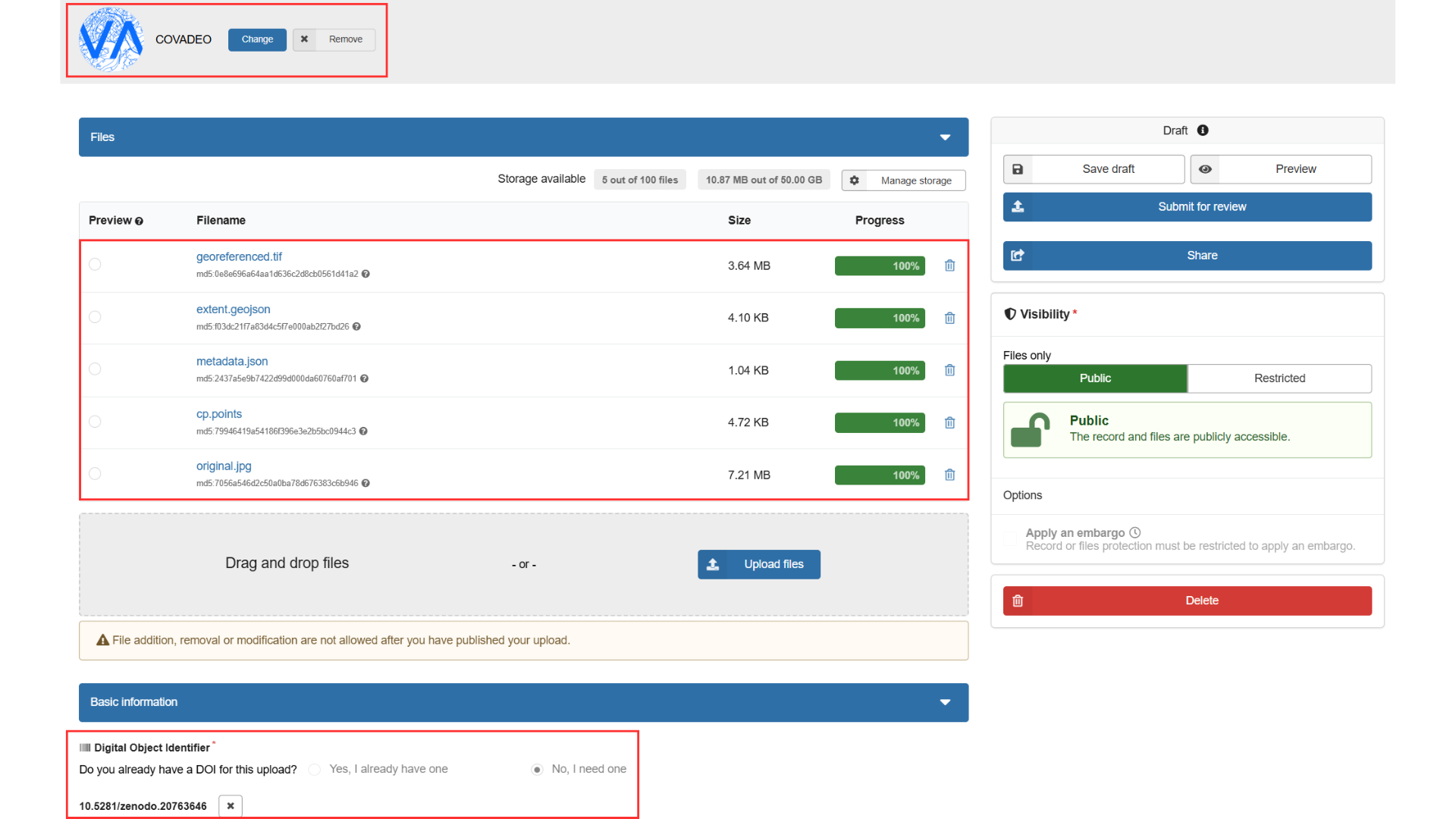
All files must be named exactly as shown in the bold text below.
- The original map image file (original.jpg)
- The georeferenced image (georeferenced.tif)
- The georeferencing polygon (extent.geojson)
- The georeferencing control points (cp.points)
- The metadata (metadata.json)
Place all the files in the depot.

Once you have completed all the previous steps, click on Save draft. Ignore the error message that appears.

Apart from the unique DOI number, your submission must match this image exactly.
Once you have finalised your data submission on Zenodo, the project team will check all the data you have provided.
- If any major changes are required, you will be contacted to inform you of the next steps.
- If everything is in order, you will be notified that your submission has been approved and added to the COVADEO community.